Overview
Problem
Building even a simple automation in Manychat's visual Flowbuilder requires understanding triggers, conditions, and step logic. For new users, that's a real barrier between signing up and getting value.
Hypothesis
Two segments, two value propositions.
New users
A text prompt could replace the need for Flowbuilder expertise, boosting Automation Set Up rate.
Experienced users
The same prompt could save time on flows they already know how to build manually.
Discovery
While engineering explored LLM capabilities, I ran research to capture audience expectations of AI — coding 60+ reviews from the Manychat Early Access Community (55 agencies, 27 educators, 18 businesses).
Key insight: the most vocal respondents — agencies and educators — monetize Flowbuilder complexity, so they didn't ask for simplification. Early signal that hypothesis #2 might not hold.
Outcome: a feature backlog for the AI roadmap, plus a warm audience I could recruit for testing the first demo.
Initial design
From a text prompt to a working flow
Vision-led, not data-led — speed mattered more than certainty at this stage.
User side: describe your business and use case → AI generates the flow.
Under the hood: prompt = business context + Flowbuilder's JSON logic, so output maps to real flow steps.
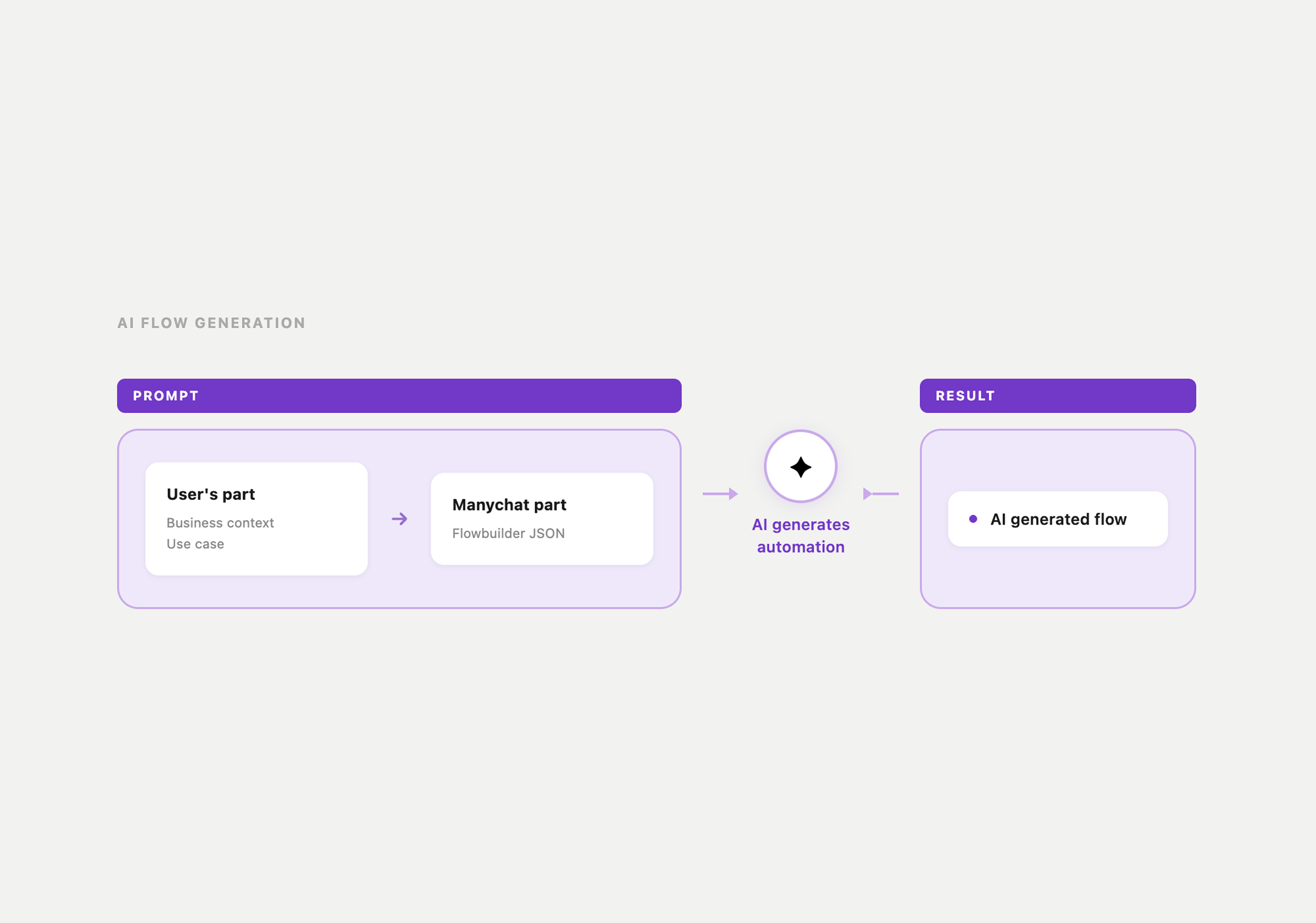
Design decision: open text over a structured form, to match "just describe what you want" and skip Flowbuilder terminology. Trade-off we hadn't tested: freedom assumes the user already knows what to ask for.
Validation
Testing the open-prompt hypothesis.
Demo (15+ users)
I recruited users from the AI audience to test stability and surface first reactions. Confirmed the lack-of-value signal for experienced users; surfaced a missing feature — context continuity across prompts — which we shipped.
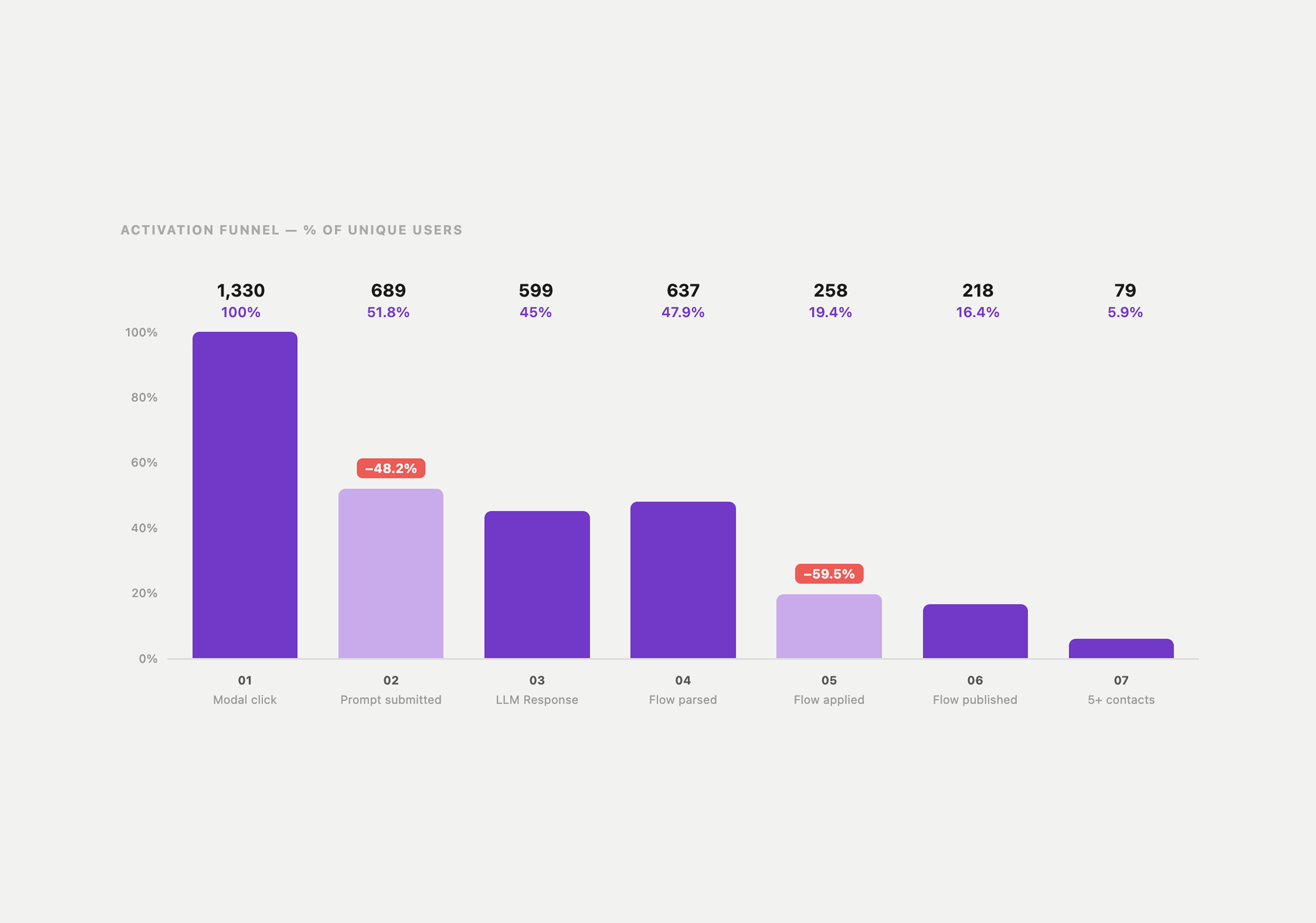
Alpha (1,300+ users, 1 month)
I tracked the funnel in production to find where users dropped off. Biggest drop-offs: before writing a prompt, and before applying the flow.
Qualitative (10 interviews, abandoned vs. successful)
I designed the study, recruited both segments via Intercom, wrote two interview scripts, conducted all interviews, and synthesized findings for stakeholders.
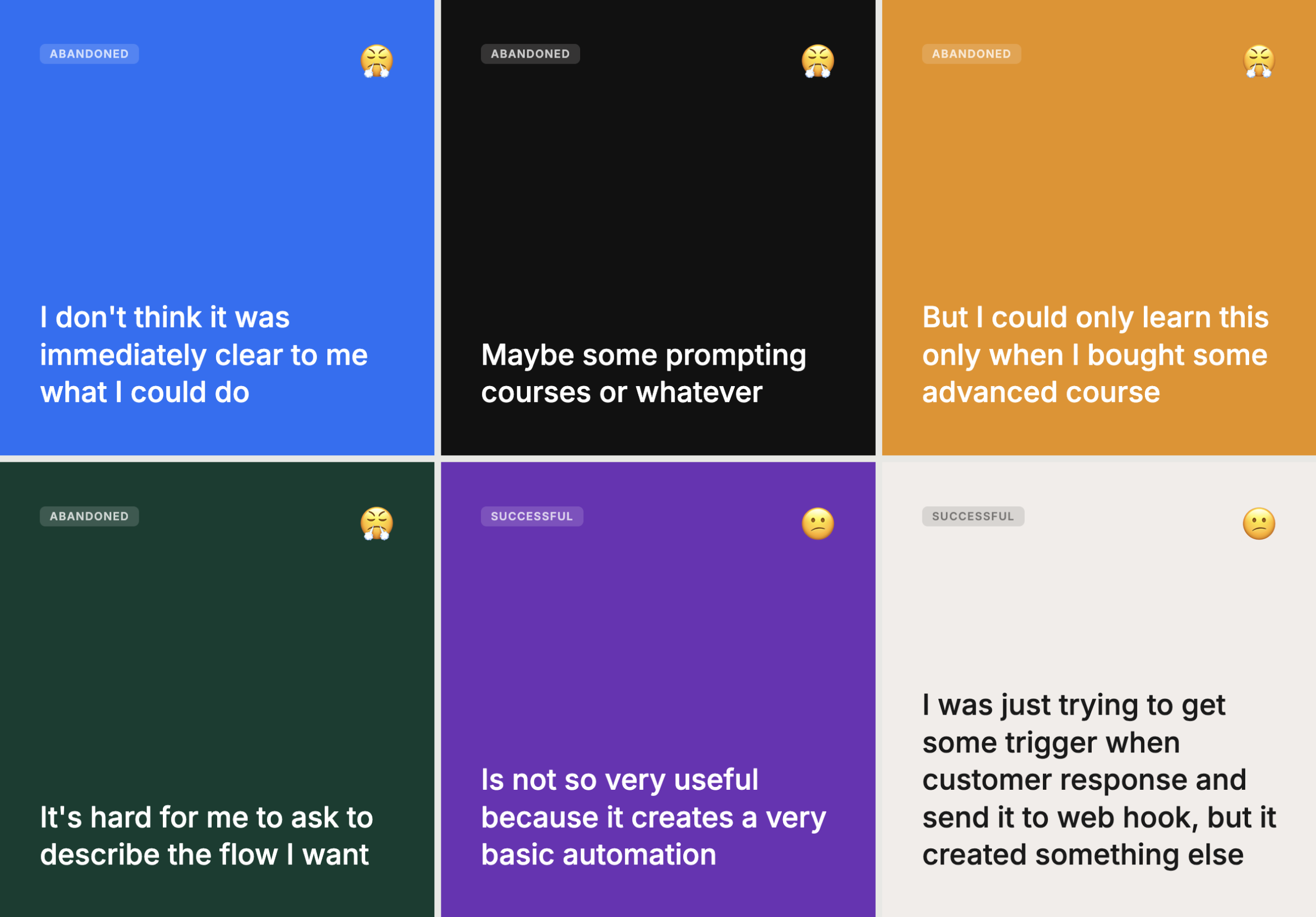
Conclusion: abandoned = newcomers lacking the vocabulary to prompt well. Successful = power users who wanted more capability, not less complexity. Hypothesis #2 was disproved. Hypothesis #1 held.
Refined design
From open prompt to guided structure
Real audience: new users. Real failure mode: not knowing how to phrase a request in a system they'd never used. Open text assumed prior knowledge our users didn't have.
New hypothesis: a guided flow tailored to new-user use cases increases successful, predictable outcomes — and conversion to publishing.
User side: answer 4 guided questions → AI assembles automation from a template.
Questions: business context, automation goal, automation context, trigger.
Templates: Collect Email, Link, Schedule an Appointment, Quiz, Specific Answer.
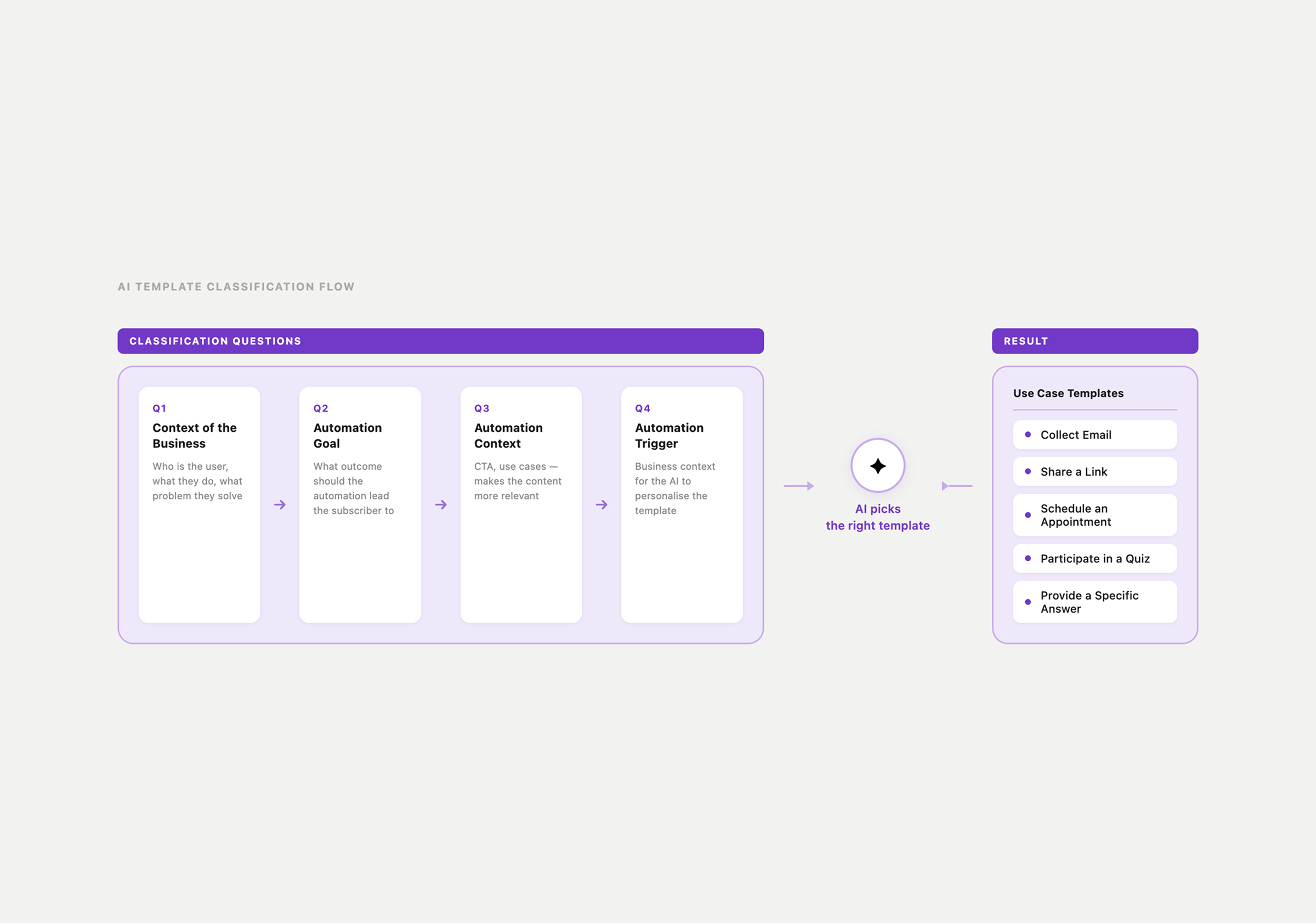
Design decision: guided questions over open text, to guarantee a usable result for first-time builders. Trade-off, made explicit: a lower ceiling — fewer possible automations — for a much higher floor — far more users successfully reach a published flow.
Result
- 36% conversion to publishing an AI flow (new users)
- 20% retention
More than the numbers: two iterations gave us a validated answer to who this is for and what they need — guardrails, not freedom. That became the foundation for every AI feature decision that followed.